
In MetaTrader, "Expert Advisor" names a category, not a behavior: any program that runs on a chart is an EA, whether it trades on its own or only draws a form. A trading robot decides and executes. A trade panel is an EA that does the arithmetic around a trade and sends the order you click, and never opens one by itself. That difference decides who is responsible for every position on the account, which is why it matters more than the feature lists. This article is the robot-versus-panel chapter of the full MT5 trade panel guide, written for the trader looking for an expert advisor for manual traders in the plain sense: a program that helps without deciding.
What an Expert Advisor Is in MetaTrader 5
The MetaTrader 5 help page on algorithmic trading describes trading robots as programs that "undertake price analysis based on preset algorithms, decision-making and, as a result, execution of trading operations in the market", and adds that "in the trading platform, these programs are also called Expert Advisors or EAs". That is the origin of the confusion: the platform uses one word for every program attached to a chart, so a fully automated system and a one-click order panel are both "EAs" in the Navigator.
What they share is the plumbing. Both need the platform's permission to send orders: the platform settings carry an option described as "Allow Auto Trading — this option allows or prohibits trading using Expert Advisors and scripts", and the help is explicit that "if you disable it, no Expert Advisor will be allowed to trade, even if you enable automated trading individually in the Expert Advisor settings". A panel that places orders through the EA interface needs that switch on exactly as a robot does, which is why the panel guide's setup section spends time on the Algo Trading button and on the per-program permission in the EA's own settings.
What they do not share is who decides. Read the help's definition again: analysis, decision, execution. A robot owns all three. A panel owns the third, and only from the moment a human clicks.
Three Kinds of EA, One Word
- The trading robot. It watches prices, applies its rules, and opens, manages and closes positions without anyone present. Its quality is the quality of its rules, and its risk is that the rules meet a market they were not built for while nobody is watching.
- The trade panel, or trade manager. It sits on the chart as a form: lot, stop, target, buttons. It computes, restates and sends what the trader chooses, and typically offers a handful of close-only automations. It cannot start a position.
- The utility. Dashboards, session boxes, news feeds, alert tools. They inform and never touch the order book.
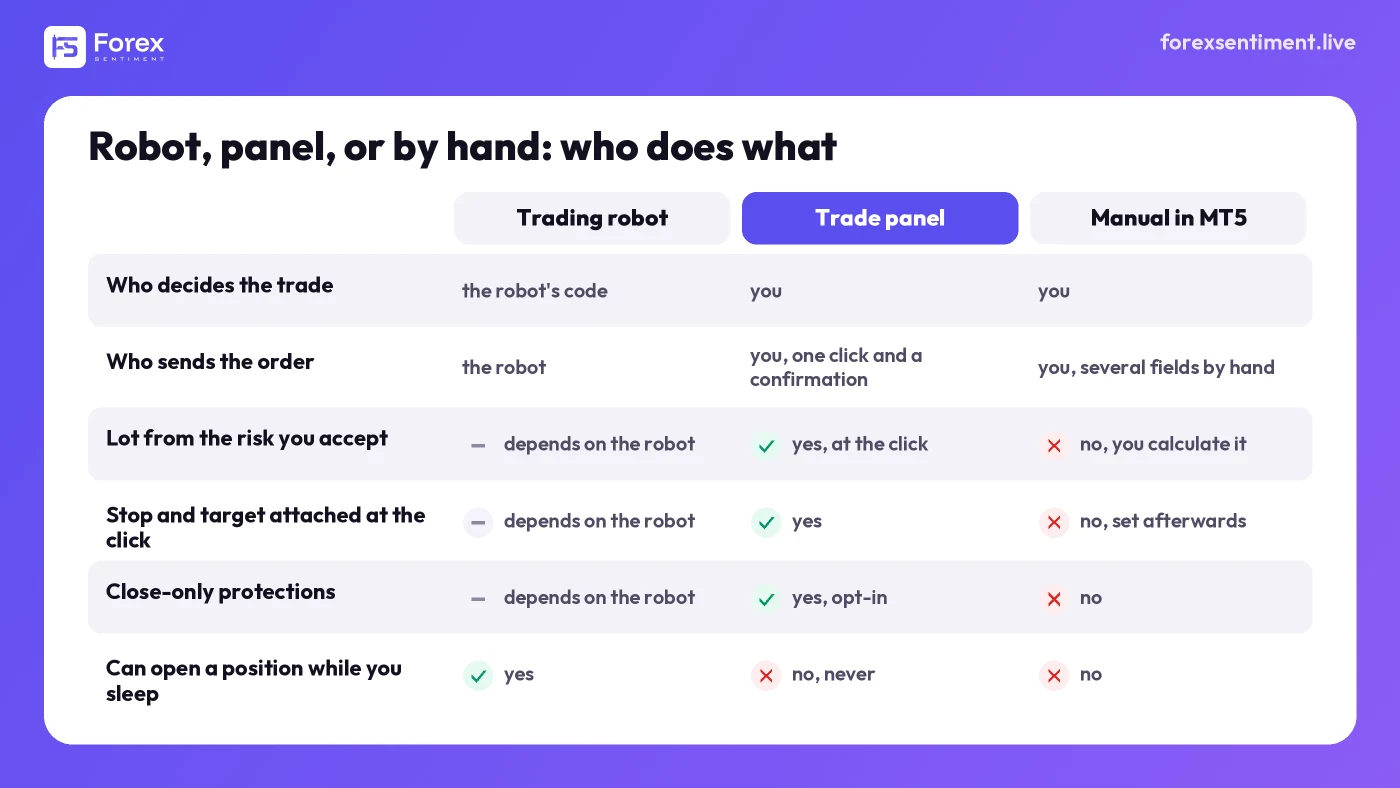
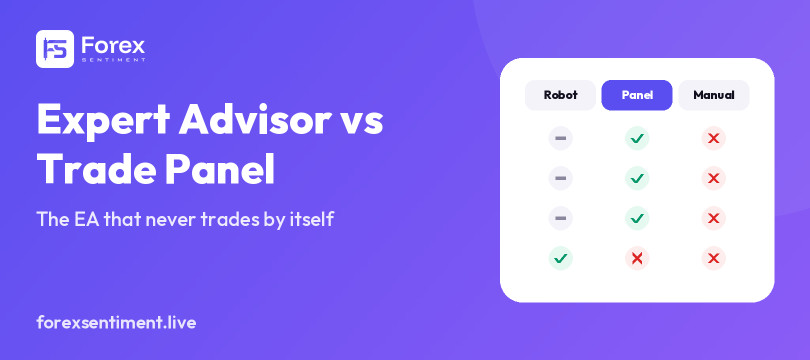
Three ways to send the same trade. The panel does the arithmetic and the bookkeeping; the decision and the click stay with the trader.
Vendors blur the lines because "EA" sells and "panel" sounds modest. The test is simple and worth applying before buying anything: can it open a position while you sleep, or while you are simply not there? If yes, it is a robot, whatever the listing calls it, and it should be judged like one, on a record you can verify. If no, it is a panel, and it should be judged on how much manual work it removes and how faithfully it sends what you meant.
What a Panel Adds to MT5 (and What Stays Yours)
MetaTrader 5 already sends market orders with one click from its built-in trading box. What it does not do is the arithmetic that separates a disciplined trade from a lucky one. A panel adds three things:
- The lot from the risk you accept. You state the risk as a fixed lot, a percentage of equity or a percentage of balance; the panel measures the distance to the stop and converts it into a volume for that symbol, pip value and contract size included. This is the calculation most losing accounts skip.
- Stop and target attached at the click. The order goes out with its protection already on it, computed from a level or from a distance, instead of being set afterward, when the position is already open and the price already moving.
- Close-only management. Rules that can reduce or end a position but never start one: a breakeven move, a ceiling on the account's floating loss or profit, a profit trail on the account's open profit, a flat close before the daily rollover.
And what stays yours: the direction, the entry, the decision to take the trade at all, and the click. A panel that respects the split also tells you plainly what it does not do. The ForexSentiment panel, to take the example this site can vouch for, has no partial close: that one remains a manual operation in MT5, and the trade panel guide on this blog lists it among the things the panel does not do, rather than implying otherwise. (A per-position trailing stop and one-click breakeven arrived with the Chart Panel in version 1.8.0; until then the only trail was the account-level one.)
"Semi-Automated", Honestly
The phrase is used for everything from a copy-trading bridge to a panel with a risk calculator, so it deserves a precise meaning. On a panel, the automation is in the preparation of the order, not in its initiation. The plan can come from anywhere, including a plan published by someone else the evening before; the lot, the stop, the target, the expiration and the warnings can all be filled in before the confirmation dialog opens; and still nothing happens until a person confirms. Once the position exists, the automation is one-directional again: it can close or protect, not add.
That is a narrower promise than a robot's, and it is the reason a discretionary trader can run such a tool on accounts where fully automated systems are restricted. Whether a given prop firm allows it is written in that firm's current rulebook and nowhere else; FTMO's rules, read line by line, are the place to start, and the rulebook is the place to finish.
When a Robot Makes Sense, and When It Does Not
A robot is the right tool when the edge is mechanical and provable: a rule set with a long, honest record, run on a market it was built for, by someone who understands why it works and watches for the day it stops. Latency-sensitive strategies and pure execution algorithms belong there too, because no human can do the job at that speed.
A robot is the wrong tool when the decision is the edge. Reading a level in context, sitting out a session that smells wrong, halving size after two losses, skipping a trade because the crowd is already piled on that side: these are judgments, and the value of a panel is that it lets a trader keep them while removing the parts that judgment is bad at, the arithmetic and the button-clicking under stress.
There is a third case, the most common one in practice: a trader who wants a plan handed to them and still wants to be the one who acts on it. That is precisely the gap between a robot and a panel, and it is where the ForexSentiment panel sits.
The ForexSentiment Panel as an Example
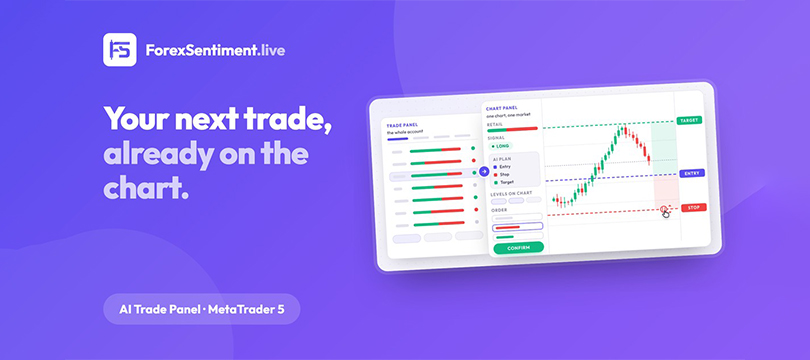
The AI Trade Panel for MetaTrader 5 is an EA in the second sense. Five tabs: retail positioning on 29 markets, the site's signals, the AI daily plan, open positions, and the close-only rules. Every order starts from a click on a row and passes through a confirmation dialog that restates the whole order: type, lots, price, stop, target, risk in the account currency, expiration, and a warning line when the trade stacks exposure the account already holds. The dialog is on by default; batch orders and close-all always ask.
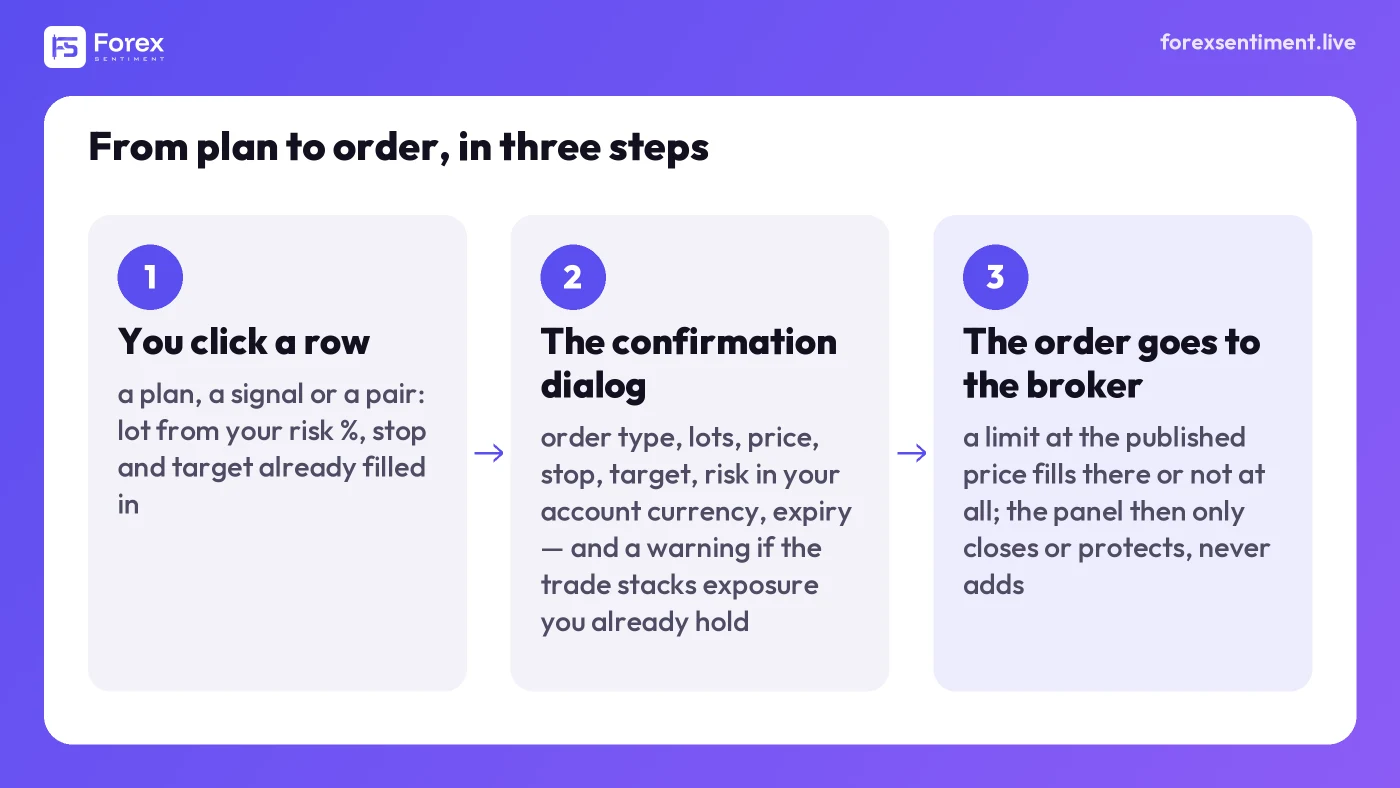
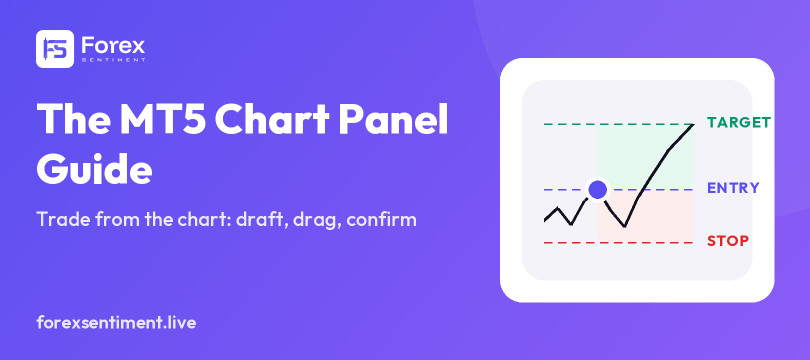
Every order starts from a click and passes through the confirmation dialog; after that the panel can only close or protect the position.
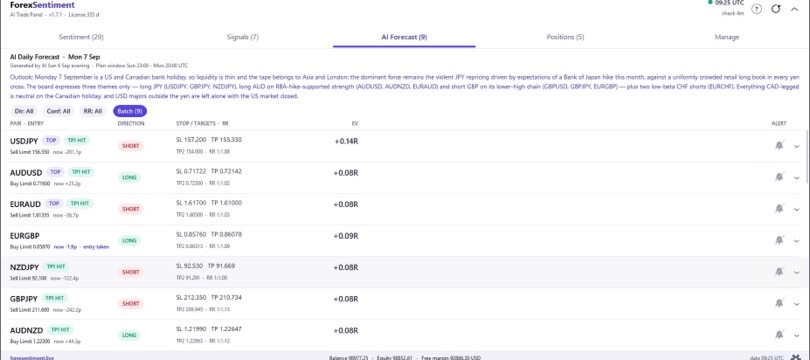
The plan on the AI Forecast tab is the one published each trading evening on the Daily Forecast page, and by default it is placed as a limit order at the published price: it fills there or it does not fill at all, so the trade you place is the same trade the site measures afterward on real candles and publishes win or lose. (An At-market entry exists for a plan the price has already moved through; the panel then recomputes lot and risk on the price you actually get, and that trade is no longer the published one.) The same rows appear on the signals page of this site, factor by factor, for anyone who wants to check what the panel's Signals tab is mirroring.
What it will not do, on its own, is open, reverse or scale a position (a reversed plan exists, but only on your click); and, as above, no partial close. The user guide covers installation, the license, and every screen, and there is a 7-Day Pass for trying it on a real account before subscribing; pricing is on the panel page.
Choosing Between the Two
- If you cannot state your rules precisely enough to write them down, you do not have a robot; you have a panel with extra steps. Buy the panel.
- If you can, and the rules have a record you have verified yourself, a robot may earn its place, with a panel still useful for the trades you take by hand.
- If the account is funded or under evaluation, read the firm's rulebook before either, and prefer tools whose behavior you can describe in one sentence to a compliance desk.
- Whatever you choose, make sure the tool tells you what it cannot do. A vendor that lists only capabilities is selling; a manual that lists limits is describing.
How This Article Was Made
Written from the MetaTrader 5 help pages on algorithmic trading and platform settings, read on 8 September 2026, and from the ForexSentiment panel's public manual and product page. No robot is recommended here and no performance is claimed for any tool; leveraged trading can lose more than the amount risked on paper, and a panel changes how an order is placed, not whether the trade was a good idea.